
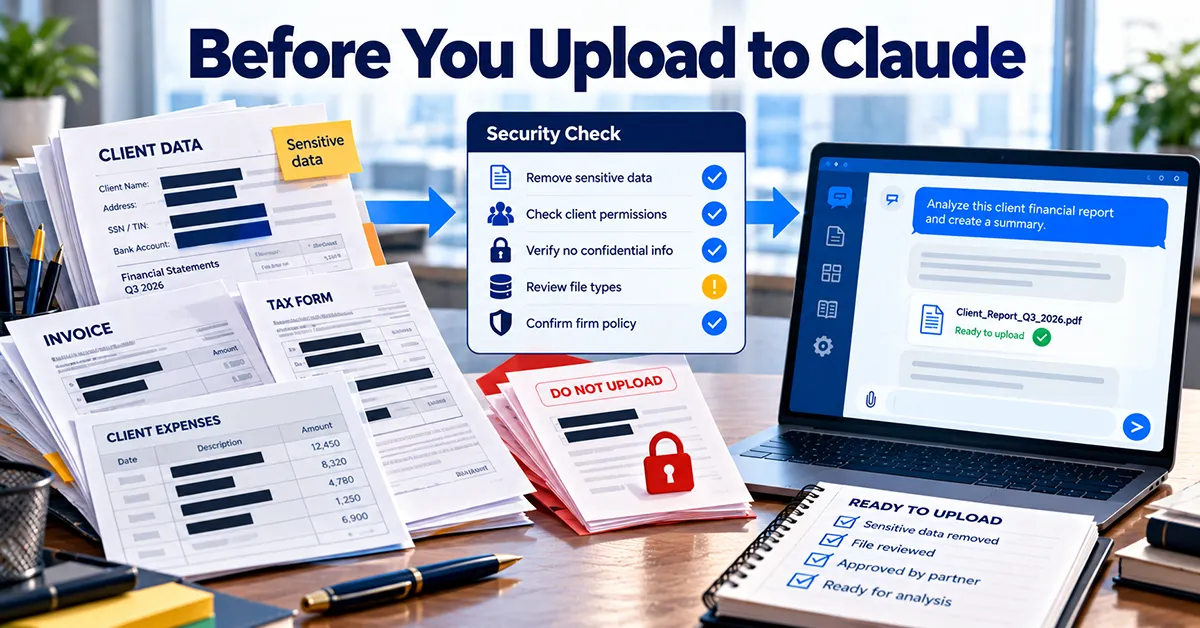
Uploading a client file to Claude is a bigger decision than pasting in a few figures. A file carries everything in it: the hidden tab, the tracked changes, the comment thread where a partner said what they really think of the client. Once it’s uploaded, you can’t take back what Claude has already read.
None of that means you shouldn’t use Claude with client work. It means taking 90 seconds before each upload. This is the check I’d want every person in a firm to run, and the settings I’d check first as the admin.
This is a workflow guide, not legal, tax, audit or accounting advice. Follow your firm’s policies, your clients’ engagement terms and your own professional judgment before uploading client material or relying on AI output. Product details in this guide were last checked against Anthropic’s official help pages in October 2026. Plans and features change often, so confirm on the vendor’s site before you buy or configure anything.
The rule: never upload the original file. Never upload the whole file if the question only needs part of it. Never upload anything you haven’t opened and checked yourself.
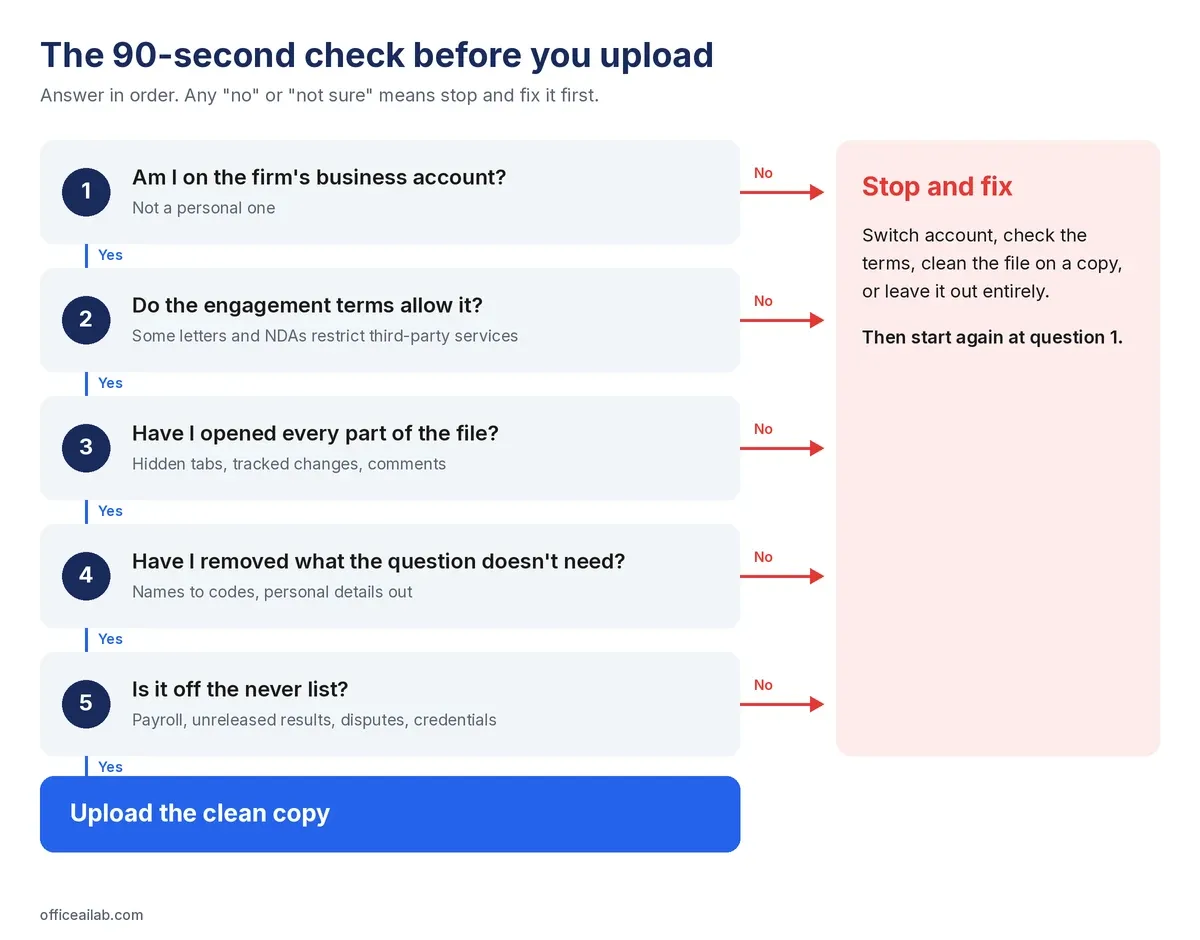
The 90-second check
Five questions, in this order. If any answer is “no” or “not sure”, stop and fix it before you upload.
- Am I on the right account? Your firm’s business account, not a personal one. More on why below.
- Do the engagement terms allow it? Some engagement letters and NDAs restrict sharing client data with third-party services. The file may forbid its own upload.
- Have I opened every part of the file? Every tab including hidden ones, tracked changes accepted or rejected, comments resolved or removed.
- Have I removed what the question doesn’t need? Names replaced with codes, account numbers and personal details deleted, irrelevant tabs taken out.
- Is it on the never list? If yes, it doesn’t go in, whatever the account.
Cleaning a file in five minutes
Microsoft Office has a built-in tool that finds most of what you’d miss by eye. Use it on a copy, never the original.
Excel
- Save a copy of the workbook for uploading.
- Right-click any sheet tab and choose Unhide. If it’s greyed out, there are no hidden sheets. Delete any tab the question doesn’t need.
- Go to File → Info → Check for Issues → Inspect Document and run it. It reports comments, hidden rows and columns, hidden sheets and personal information in the file properties. Remove what you don’t need.
- Use Find and Replace to swap client and counterparty names for codes. Keep the code key in a separate file that never gets uploaded.
Word
- Save a copy for uploading.
- On the Review tab, accept or reject all tracked changes and delete all comments.
- Run File → Info → Check for Issues → Inspect Document to remove remaining comments, revisions and document properties.
The never list
These stay out of Claude, and out of any AI tool, whatever the plan or settings. Print this table if it helps.
| Never upload | Examples |
|---|---|
| Individual payroll and personnel records | Salaries, reviews, disciplinary or health information |
| Unreleased results | Anything price-sensitive, until it’s public |
| Anything under a live dispute | Investigations, regulatory inquiries, and your own notes about them |
| Credentials | Passwords, API keys, bank logins, one-time codes |
| Full identity and account numbers | Tax IDs, Social Security numbers, bank and card numbers |
| Files you haven’t opened yourself | If you don’t know what’s in it, you don’t know what you’re sharing |
The same list is on our free one-page pre-flight check for Claude, ready to print and pin up.
What’s usually fine
- Published material: filed accounts, annual reports, public guidance.
- Your own drafts, notes and templates.
- Coded, aggregated figures, with the code key kept in your own files.
- Contracts and agreements you’re permitted to share, with the parties’ details removed where the question doesn’t need them.
- Worked examples built on invented numbers.
Why the account matters more than the file
Claude’s personal and business plans handle your data under different terms, and the difference is bigger than most people realize. Our guide to Claude for accounting firms and finance teams compares the plans in full.
| Personal: Free, Pro, Max | Business: Team, Enterprise | |
|---|---|---|
| Used to train Claude? | Your choice, in privacy settings | Not by default |
| How long chats are kept | If you allow training, de-identified copies may be kept up to 5 years. Deleted chats leave Anthropic’s systems within 30 days | Kept in the account until deleted, then removed within 30 days. Enterprise can set its own retention period |
| Who controls the account | The individual | The firm |
| What happens when someone leaves | They keep everything | The firm removes access |
That last row is the one that should worry a firm owner. A personal account used for client work leaves with the person who owns it.
If you’re on a personal account
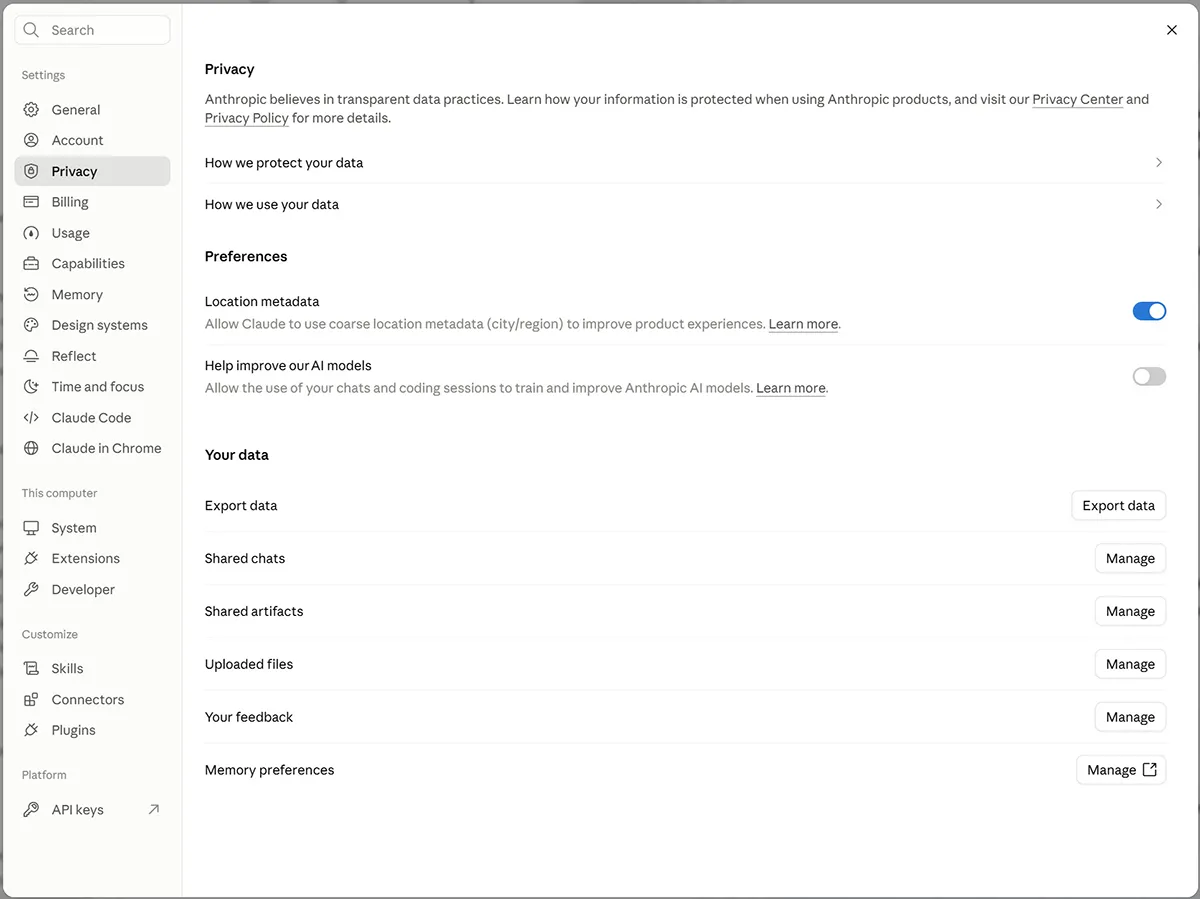
- Open Settings → Privacy.
- Find Help improve our AI models, the setting that allows your chats to be used to train Claude. Turn it off if client work ever touches this account.
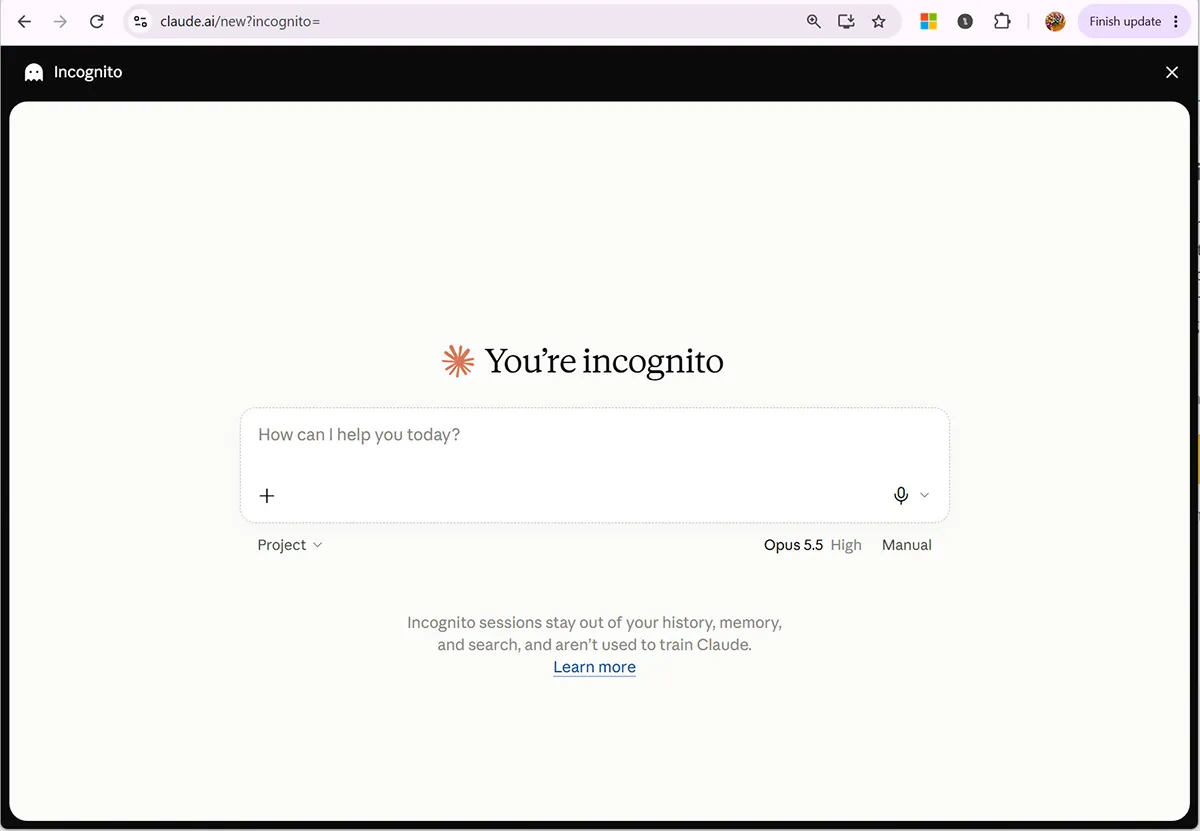
- For a one-off sensitive question, use an incognito chat. Anthropic says incognito chats aren’t used to train Claude, even if the training setting is on.
If you’re the admin of a business account
- Switch off chat rating. When someone uses the thumbs up or down buttons, Anthropic may keep that conversation for five years and use it for training. You can disable rating under Organization settings → Data and Privacy.
- On Enterprise, review data retention. By default chats stay until someone deletes them. Enterprise plans can set a custom retention period to match your own policies.
- Remove the reason for personal accounts. If the business account is easy to get and works well, people stop reaching for their own.
Projects: everything you upload stays
Files added to a Claude Project are available in every conversation in that project until someone removes them. That’s the point of projects, and also the risk.
- Anyone the project is shared with can work with its files, including people added after you uploaded them.
- Deleting a conversation doesn’t remove project files. Only removing the file does.
- Put reference material in projects, not client data. A chart of accounts, a style guide and a good example of finished work belong there. This month’s client figures belong in the conversation.
- Review project contents every quarter. Out-of-date files keep being used as if they were current.
Files from outside the firm
A spreadsheet from a vendor, a template you downloaded or a client’s export can contain hidden text written to steer an AI tool. Anthropic warns about this directly for Claude for Excel: files from external sources can contain instructions designed to make it extract data, change records or take destructive actions.
Two habits cover most of it:
- Work on a copy, never the only version of an external file.
- Read every confirmation Claude asks you for before it changes anything, and say no to anything you didn’t ask for.
If you uploaded the wrong file
Someone uploaded the wrong file, or the right file to the wrong account. It happens. What matters is what happens next:
- Tell whoever owns data protection in your firm the same day. Nothing below can start until someone knows.
- Record what was shared, on which account, and when.
- Delete the conversation and check the account’s privacy settings.
- Decide whether anyone needs to be told, including the client.
A firm where admitting it feels dangerous is a firm that finds out late.